
If your business model requires shipping you can set your configurations in your Vendor dashboard. Once you've configured your shipping setup you can select which products require shipping when you add or edit your products.
Set Shipping Policies
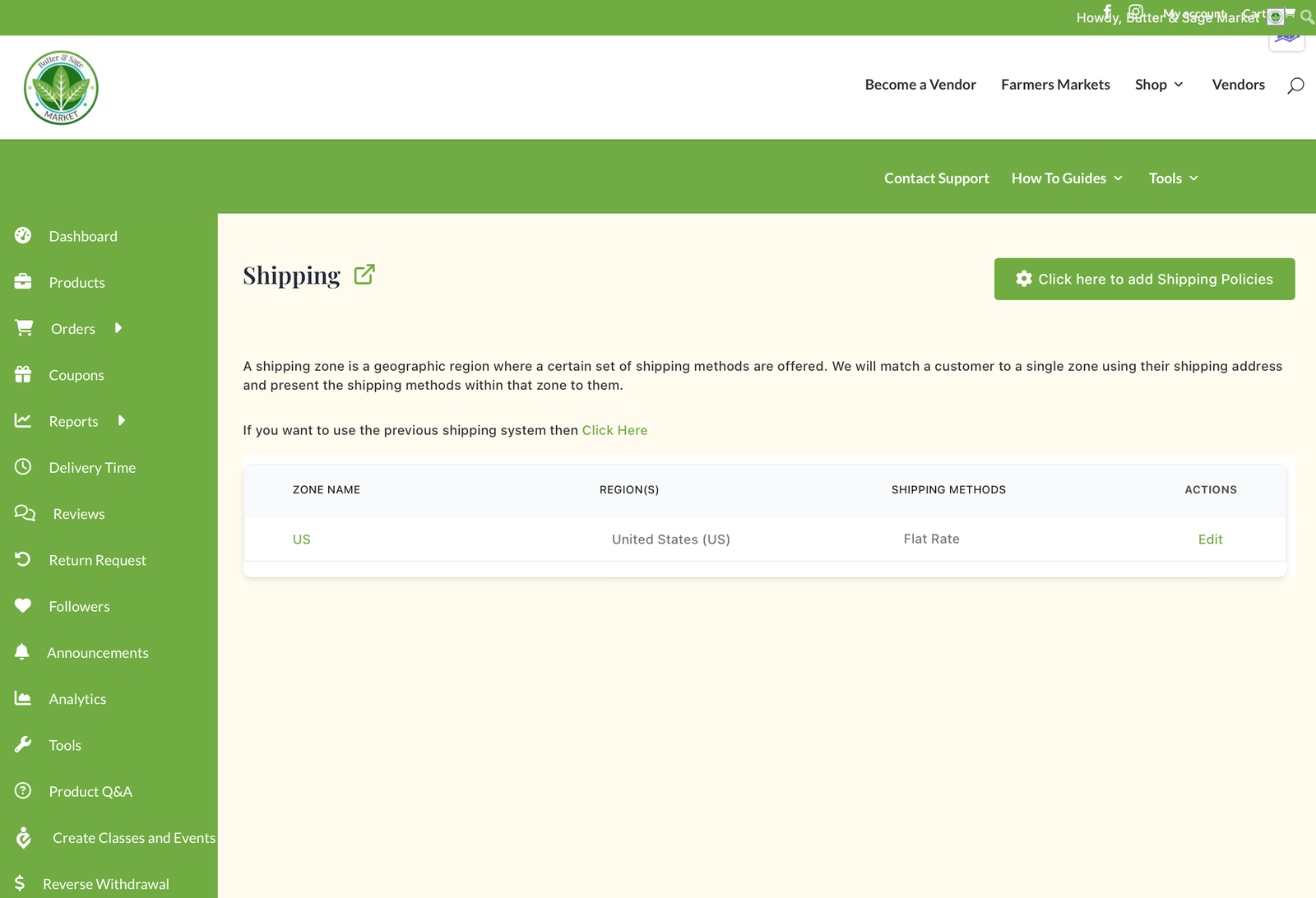
We recommend that you start with setting the shipping policies for your store. These policies will be visible on your store page to help set expectations with your customers. You can add your Shipping policies from the Vendor dashboard under Settings / Shipping. Click the button in the upper right hand corner 'Click here to add Shipping Policies'.
Simple or Complex Shipping Rates
If you have a simple shipping policy with one rate and then an additional charge per product added we recommend using the 'previous shipping system'. There is an option to select this in your Vendor dashboard under Settings / Shipping and then select the link 'Click Here' where it says use the previous system.
- Set default shipping price
- Add per additional product amount OR
- Specificy a per quantity amount
- Specify your process time
- Select policies
- Save
If you'd like more flexibility with different shipping methods and rates you can use the Zone method below.
Shipping Zones and Methods
If you want flexibility and more complex settings for shipping you can use the Zone method. To help simplify the Zone shipping topic we'll break it into 3 hierarchal topics:
- Zone
- Method
- Class
- Rate
Zone
You'll notice in your dashboard that we have set an initial shipping zone for the United States. Currently Butter & Sage Market does not support international businesses or shipping. From this starting zone you can configure how you will manage shipping within the US, limit to specific states and/or zip codes.
If you need more zones to break the US into smaller sections please contact the Support team and they can add these options for you.
Method
Shipping Methods are the types of shipping you offer. We have created Flat Rate and Free Shipping options for you. Based on our experience your order percentage increases if you offer free shipping. However, if your business model wouldn't support that option keep reading to learn how to configure your shipping rate options.
Class & Rate
With Flat Rate shipping you can break your shipping price into 3 classes: light, medium, and heavy. This allows you flexibility to have different shipping rates for different products. If you want to provide free shipping when the order is over a certain amount or number of products you'll set that option here. You can also select how to calculate shipping if you have different shipping methods within a single order: either select to charge for all shipping methods, or calculate at the highest rate.
How to Configure Shipping
 If you've selected the previous shipping method simply fill out the details, click save, and any product designated to require shipping will use that one rate, incrementing with additional products as you've assigned.
Configuring Zone Method
We'll walk you through the Zone Method since that one is more complex, but more flexible.
- Click Edit next to the Zone. If you only ship to certain states or Zip codes you can add those limits when editing the Zone
- Click to Add Shipping Method. Select from Flat Rate or Free Shipping.

- For Flat Rate add your shipping costs for Light, Medium, Heavy, your free shipping thresholds, and how to calculate the Shipping.
- If you need to Edit the Method click Edit next to the Method listed. You can apply more than one method to the zone for the customer to select when they place their order.
- Save your changes.


Adding Shipping to a Product
When you create a product you'll have the option to select if the product requires shipping. When checked you'll then select the methods that the customer can choose when they place their order and which class (light, medium, heavy) to apply.

0 Comments